Nice Play vs PlayTime Scheduler
PlayTime Scheduler gets you on the court. Nice Play keeps the crew together.
You played a great session with people you’d never met. Next week they’re a name on a sign-up list again, unless they’re in a group.
The short answer
Use both. They do different jobs.
Keep using PlayTime Scheduler for
Finding open play in your town and grabbing a spot in a session.
Add Nice Play for
Everything after: thanking the people you played with, keeping the scores, and turning the players you click with into a regular crew.
Side by side
Nice Play vs PlayTime Scheduler
| PlayTime Scheduler | Nice Play | |
|---|---|---|
| Best at | Filling a session | Building the group around it |
| After the game | The session is over | Props, photos, results and a recap |
| Groups | Sessions listed by town and organizer | Your own group with a feed, members, admins and a join code |
| Round robin | Not in the app today | Rotating partners, scores and standings |
| Waitlist | On the paid tiers | Included, and the next player moves up on their own |
| Price | Free, or $25–35 a year for Premium and Power | Free |
| Finding a game | A calendar of sessions by town | Find Games: public games nearby, with the forecast |
| Repeating sessions | On the paid tiers | Not yet: each game is posted on its own |
| Apps | Web, iPhone and Android | Web and iPhone |
Best at
- PlayTime Scheduler
- Filling a session
- Nice Play
- Building the group around it
After the game
- PlayTime Scheduler
- The session is over
- Nice Play
- Props, photos, results and a recap
Groups
- PlayTime Scheduler
- Sessions listed by town and organizer
- Nice Play
- Your own group with a feed, members, admins and a join code
Round robin
- PlayTime Scheduler
- Not in the app today
- Nice Play
- Rotating partners, scores and standings
Waitlist
- PlayTime Scheduler
- On the paid tiers
- Nice Play
- Included, and the next player moves up on their own
Price
- PlayTime Scheduler
- Free, or $25–35 a year for Premium and Power
- Nice Play
- Free
Finding a game
- PlayTime Scheduler
- A calendar of sessions by town
- Nice Play
- Find Games: public games nearby, with the forecast
Repeating sessions
- PlayTime Scheduler
- On the paid tiers
- Nice Play
- Not yet: each game is posted on its own
Apps
- PlayTime Scheduler
- Web, iPhone and Android
- Nice Play
- Web and iPhone
What Nice Play adds
What PlayTime Scheduler leaves out
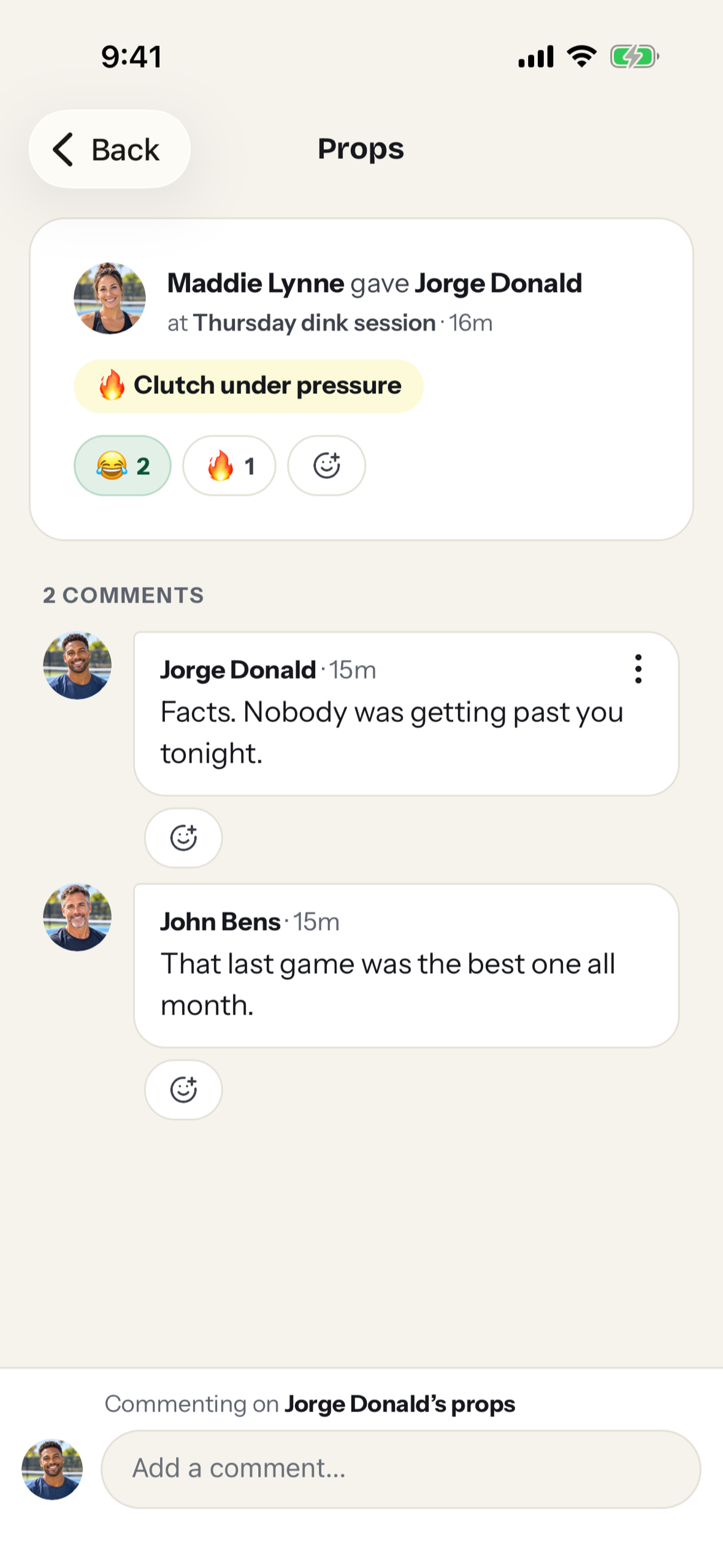
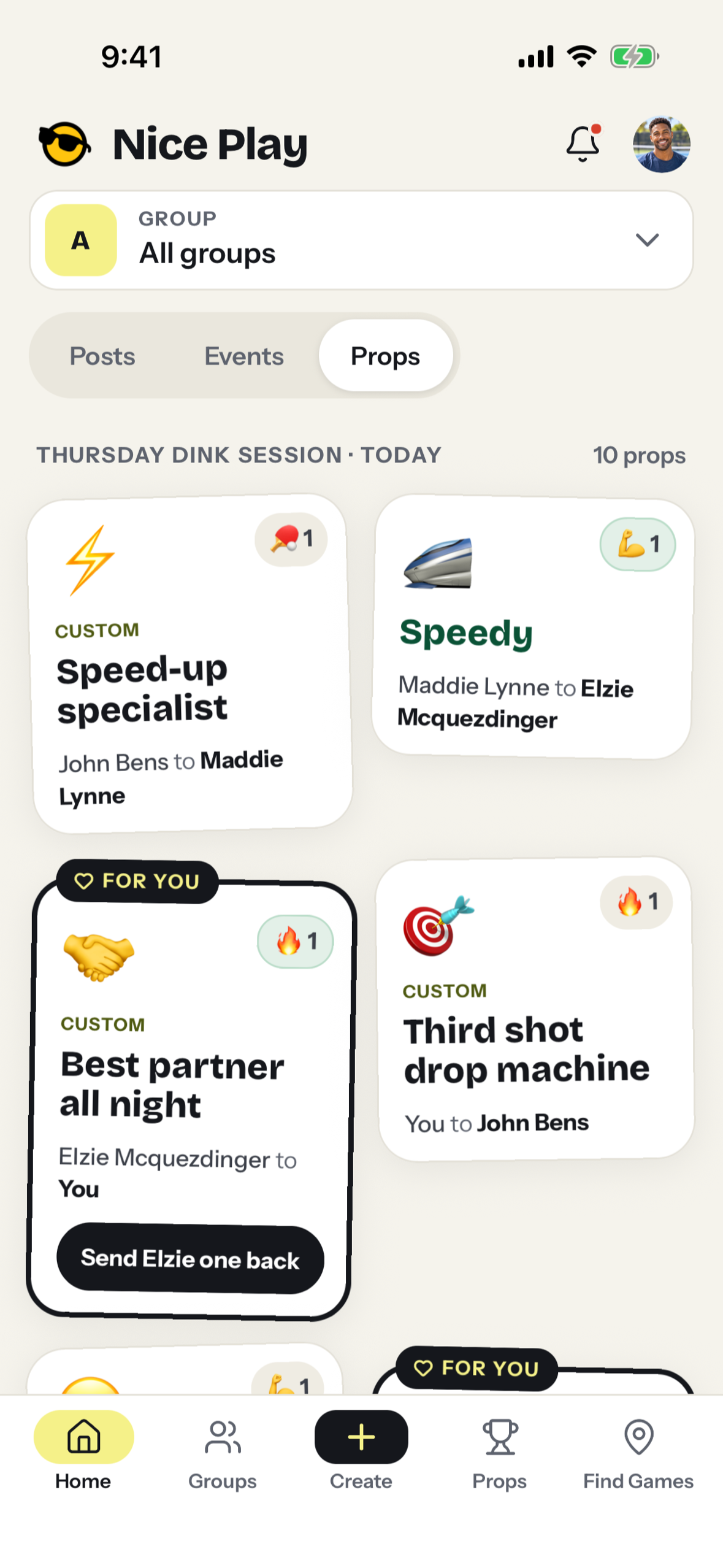
Props for the point everyone’s still talking about
Thank a partner for the save or an opponent for the rally. Props land on their profile, and the group piles on with reactions and comments.
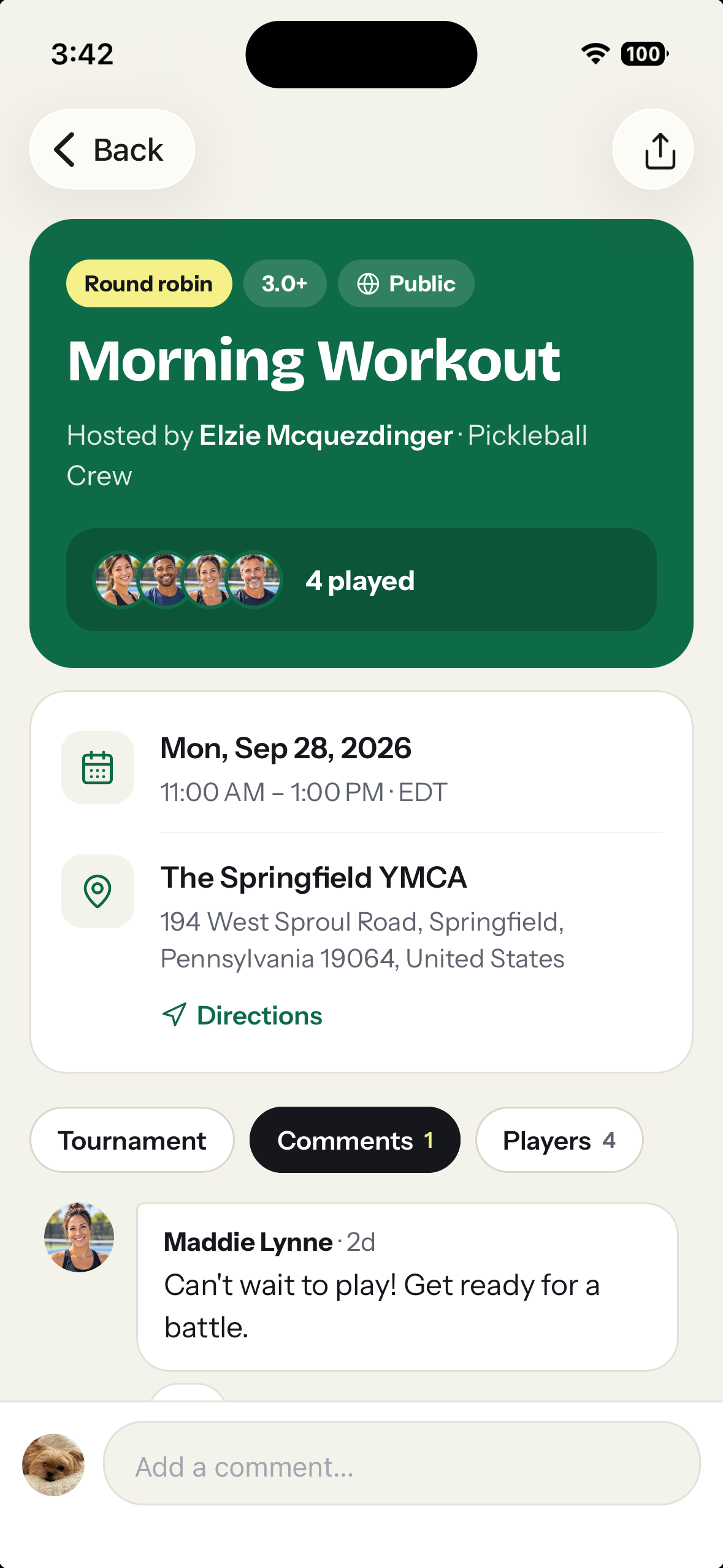
From strangers to regulars
Met people you click with at open play? Start a group and share the join code. Now they have a feed, a home court, and a reason to show up next week.
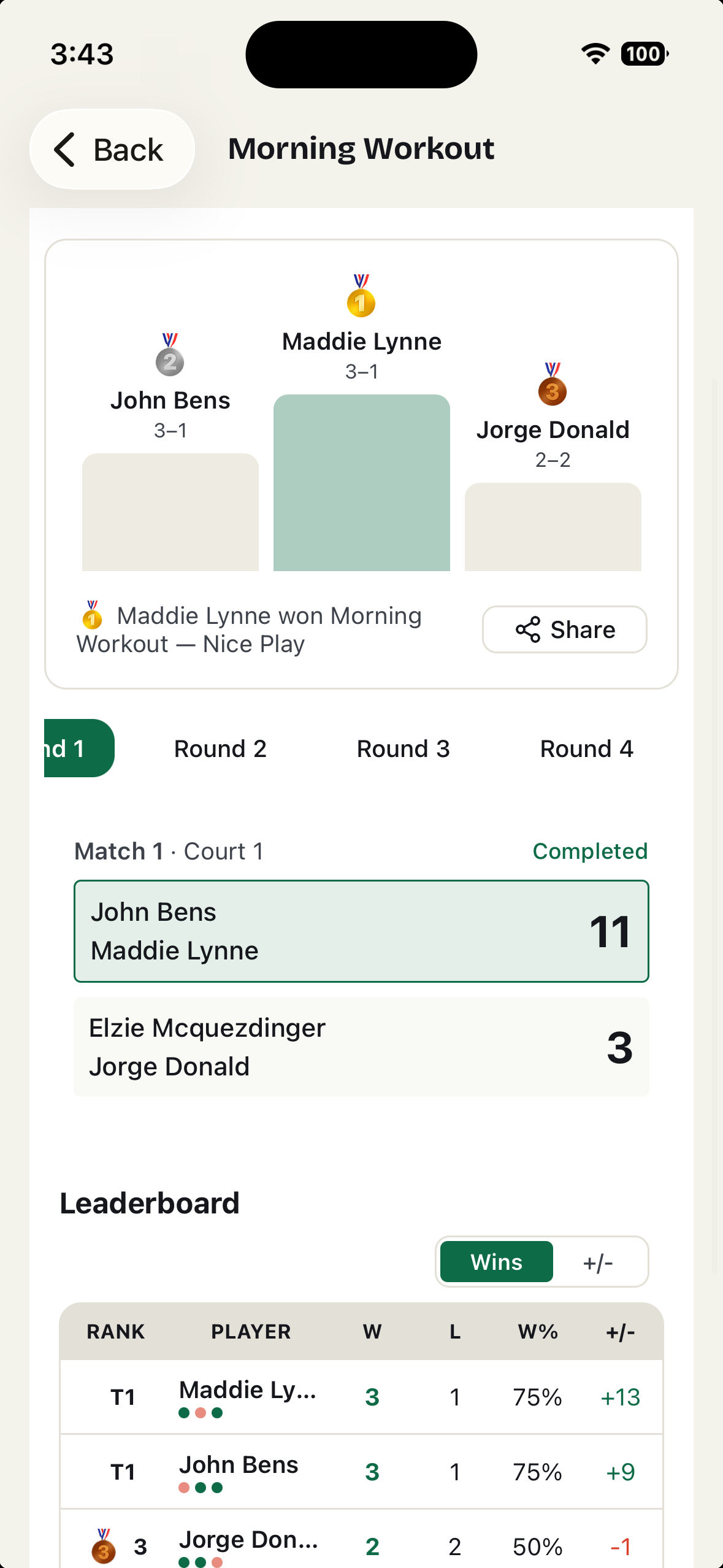
Round robins that run themselves
Generate rotating-partner matchups, enter scores from a phone, and keep the standings with the game.
Your own games, when you’re ready
Post a game with a skill range, a player limit and a waitlist. Make it public and nearby players find it on Find Games.
Fair is fair
Where PlayTime Scheduler wins
It’s where your town already plays
Where it caught on, parks departments and local organizers post their open play there. Keep using it for that.
An Android app
Nice Play works in an Android phone’s browser, but there’s no Play Store app yet.
Repeating sessions
Paid accounts can repeat a session every week. On Nice Play, each game is posted on its own.
Getting started
How to use both
- 1
Keep signing up for open play on PlayTime Scheduler.
- 2
After a good session, start a Nice Play group and share its join code or QR code with the people you played with.
- 3
Give props, post the scores and plan the next game together.
Questions
Before you start
Do I have to stop using PlayTime Scheduler?
No. Use it to find sessions and Nice Play for the group you build from them. They don’t compete for the same job.
Do the people I played with need an account?
Yes, to RSVP or give props. It’s free: continue with Apple, Google or just an email address. Anyone can look at public games and groups without one.
Is there an Android app?
Not yet. Nice Play works in any phone’s browser at niceplay.gg, so Android players can join the group, RSVP and give props there. The iPhone app is optional.
What does it cost?
Nice Play is free: groups, games, waitlists, round robins and props.
Don’t let a great session end at the net.
Start a group for the people you played with today.
What we say about PlayTime Scheduler comes from its own site and App Store listing, checked October 2026: PlayTime Scheduler: Learn more, PlayTime Scheduler on the App Store. Spot something out of date? Tell us.