Nice Play vs TeamReach
TeamReach works for any team. Nice Play is built for pickleball.
A schedule and a chat get people to the court. Nice Play knows what happens there: the skill range, the round robin, and the props after a good point.
The short answer
TeamReach or Nice Play?
Stick with TeamReach if
Your group needs direct messages, polls or shared files, or it isn’t really a pickleball group.
Pick Nice Play if
Your group plays pickleball and you want an app that knows the game, with no ads.
Side by side
Nice Play vs TeamReach
| TeamReach | Nice Play | |
|---|---|---|
| Built for | Any team, club or group | Pickleball groups |
| Ads | Yes; $9.99 a year removes them | None |
| Games | An event with RSVPs and a waitlist | RSVPs, a waitlist, a skill range, arrival times and a guest |
| Round robin | No | Rotating partners, scores and standings |
| Courts | An address with a map and weather | Court pages with hours, lights, amenities and the forecast |
| After the game | Photos in the chat | Props, photos, results and a recap |
| New players | Invite only | Public games and groups players nearby can find |
| Chat | Group chat and direct messages | Comments, reactions and mentions; no direct messages |
| Polls and files | Yes | No |
| Apps | Web, iPhone and Android | Web and iPhone |
Built for
- TeamReach
- Any team, club or group
- Nice Play
- Pickleball groups
Ads
- TeamReach
- Yes; $9.99 a year removes them
- Nice Play
- None
Games
- TeamReach
- An event with RSVPs and a waitlist
- Nice Play
- RSVPs, a waitlist, a skill range, arrival times and a guest
Round robin
- TeamReach
- No
- Nice Play
- Rotating partners, scores and standings
Courts
- TeamReach
- An address with a map and weather
- Nice Play
- Court pages with hours, lights, amenities and the forecast
After the game
- TeamReach
- Photos in the chat
- Nice Play
- Props, photos, results and a recap
New players
- TeamReach
- Invite only
- Nice Play
- Public games and groups players nearby can find
Chat
- TeamReach
- Group chat and direct messages
- Nice Play
- Comments, reactions and mentions; no direct messages
Polls and files
- TeamReach
- Yes
- Nice Play
- No
Apps
- TeamReach
- Web, iPhone and Android
- Nice Play
- Web and iPhone
Why groups switch
Built for the way your group plays
Every game knows it’s pickleball
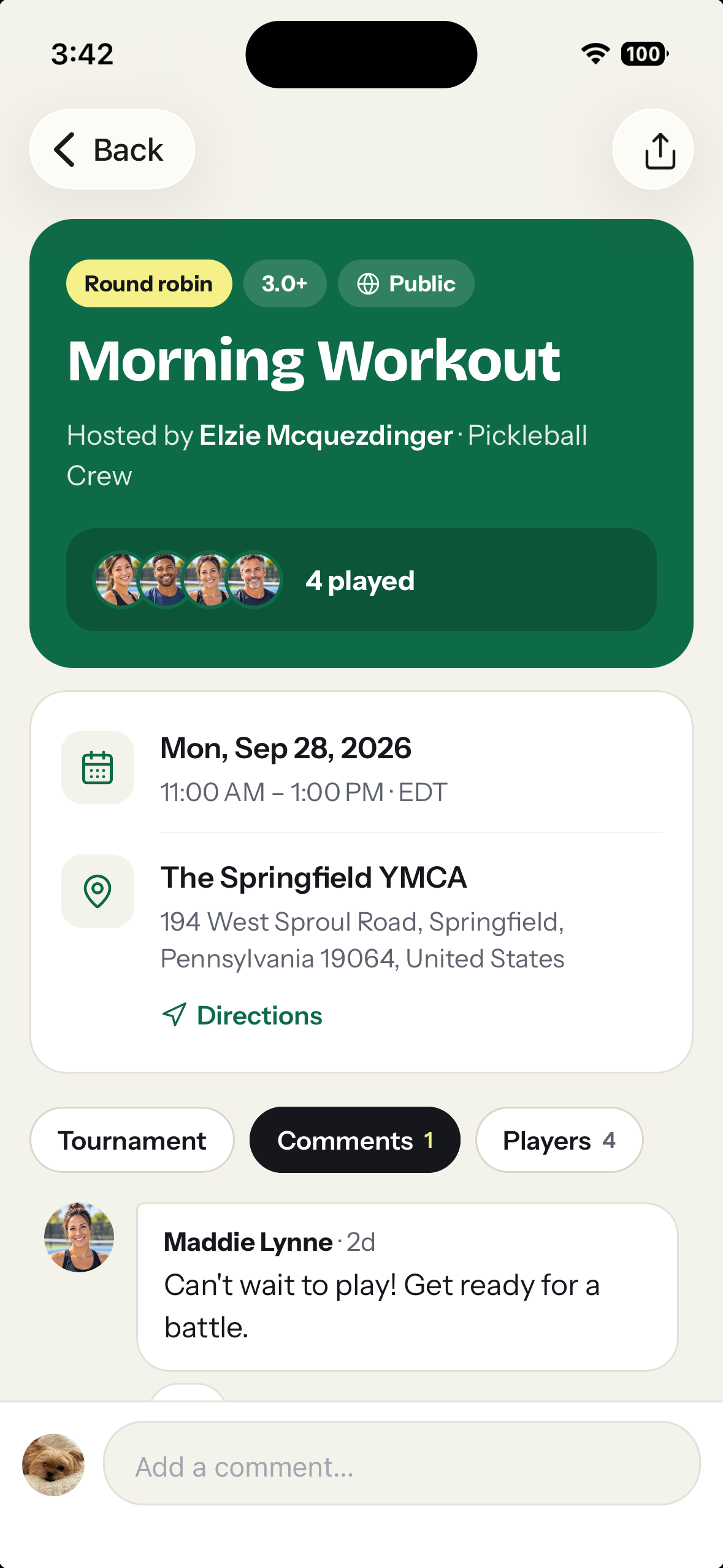
Set the court, the skill range and the player limit. Players see who’s going, when they’ll get there, and whether they can bring a friend.
Round robins without the clipboard
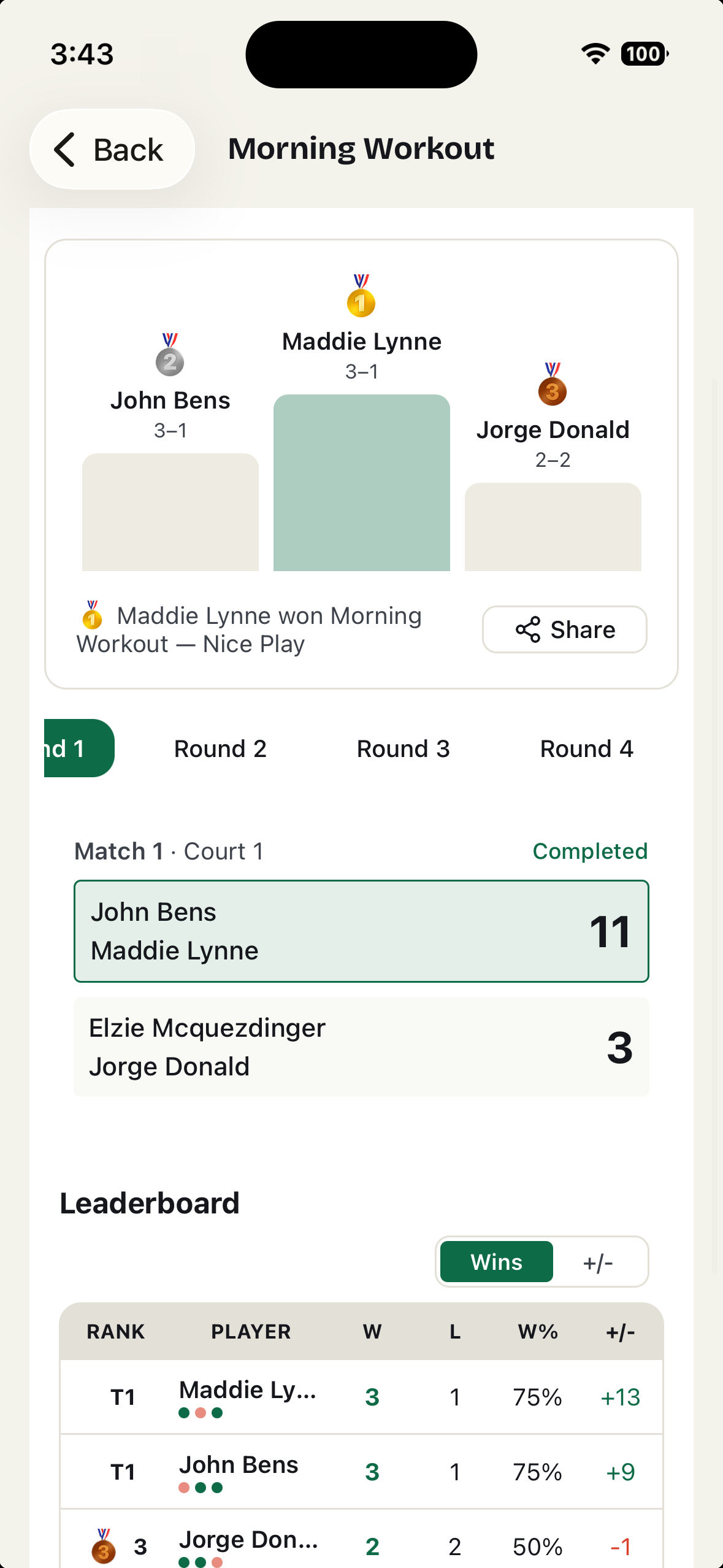
Generate rotating-partner matchups, enter scores from a phone, and keep the standings with the game.
New players can find you
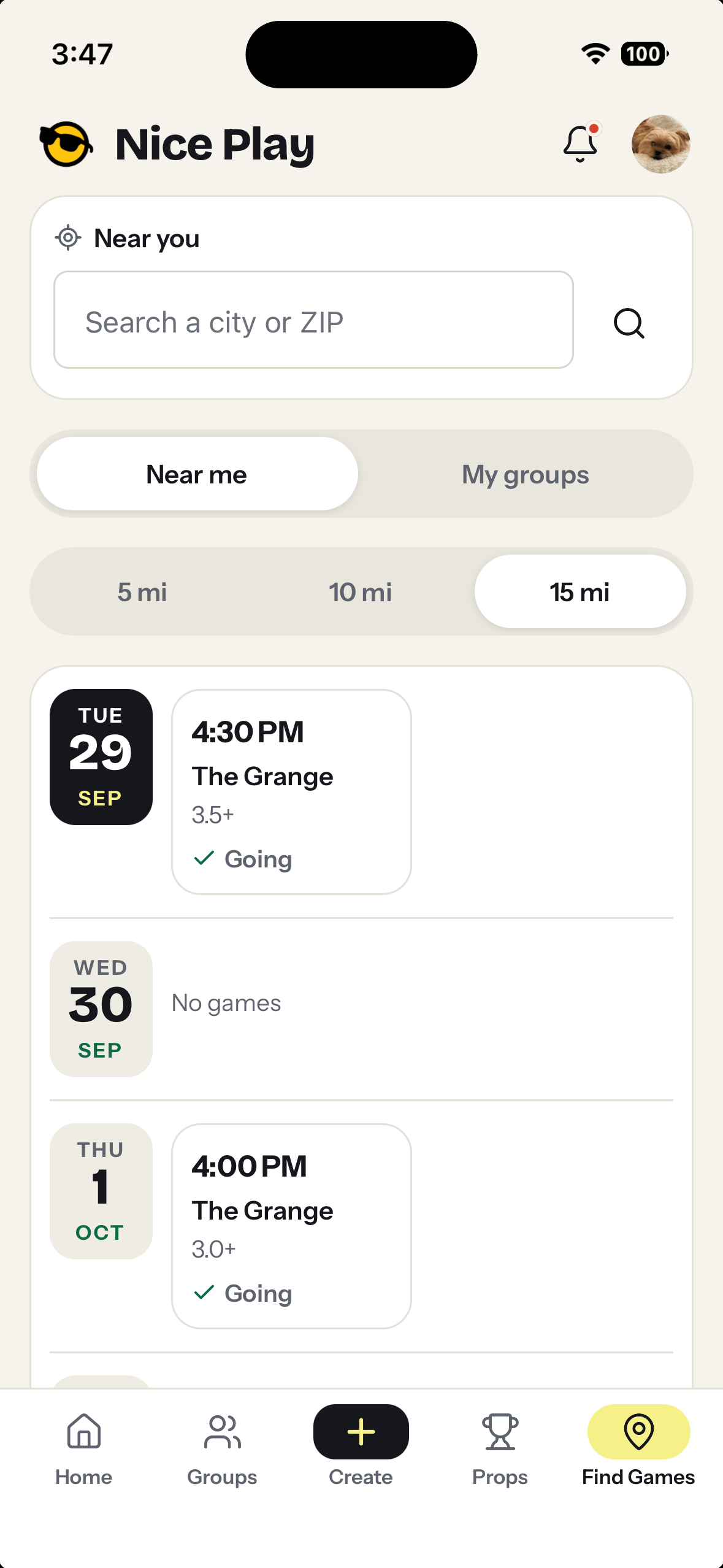
Make a game or group public and players nearby find it on Find Games, no account needed to look.
No ads
Nothing to scroll past and nothing to pay to remove.
Courts with real details
Every court has a page with hours, lights, surface, amenities, the forecast and the groups that play there.
The game after the game
Props, photos and results stay with the game and on each player’s profile.
Fair is fair
Where TeamReach wins
Direct messages
Members can message each other one on one. On Nice Play, talk happens in comments on posts and games.
Polls, forms and files
Handy for a club with dues, waivers or a vote. Nice Play has none of these.
An Android app
Nice Play works in an Android phone’s browser, but there’s no Play Store app yet.
Getting started
Moving your group over
- 1
Create a group on Nice Play and post its join code or QR code in your TeamReach chat.
- 2
Post the next game on Nice Play. Members get a notification and RSVP in one tap.
- 3
Give props after the game. That’s usually when the rest of the group signs up.
Questions
Before you start
Can members message each other?
Not one on one. Conversation happens in comments on posts and games, with reactions and @mentions, so the whole group can follow along.
Does Nice Play have ads?
No.
Does everyone need an account?
Yes, to RSVP or give props. It’s free: continue with Apple, Google or just an email address. Anyone can look at public games and groups without one.
Is there an Android app?
Not yet. Nice Play works in any phone’s browser at niceplay.gg, so Android players can join the group, RSVP and give props there. The iPhone app is optional.
Give your group an app that plays pickleball.
Start a group, post the next game, and see who’s in.
What we say about TeamReach comes from its own site and App Store listing, checked October 2026: TeamReach on the App Store. Spot something out of date? Tell us.