You’re the one who gets everyone on the court. We make it easier.
Stop chasing RSVPs, managing waitlists and figuring out who’s playing. Nice Play keeps your crew organized, and gives everyone something to talk about after the game.
- One-tap RSVPs and a waitlist that fills itself
- Round robins without the clipboard
- Props, scores and a recap after every game
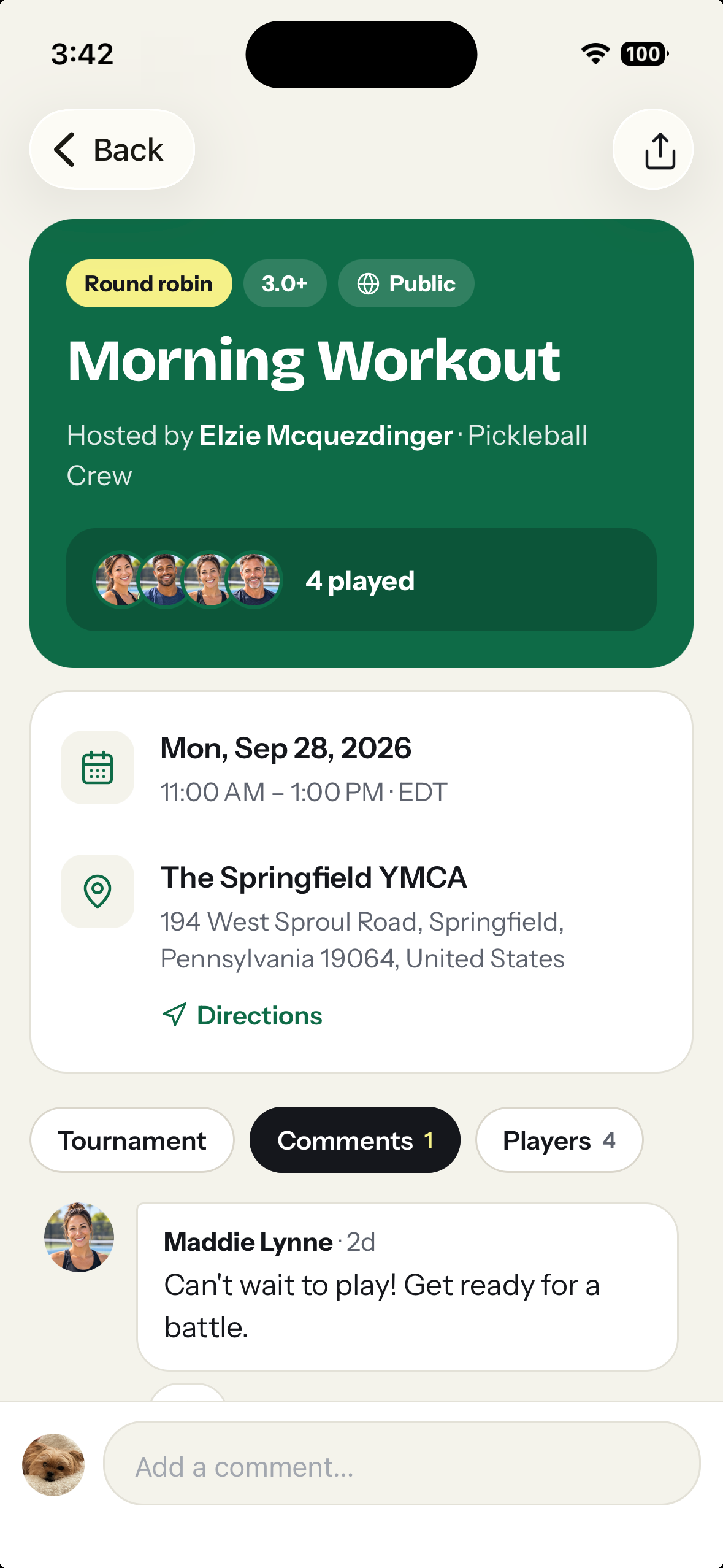
The three jobs that eat an organizer’s week, handled.
Who’s in? Answered in one tap.
Post the game with a time, court, skill range and player limit. Everyone gets a notification and RSVPs with one tap. When it’s full, the waitlist moves the next player up and tells them, and you never start the thread over.
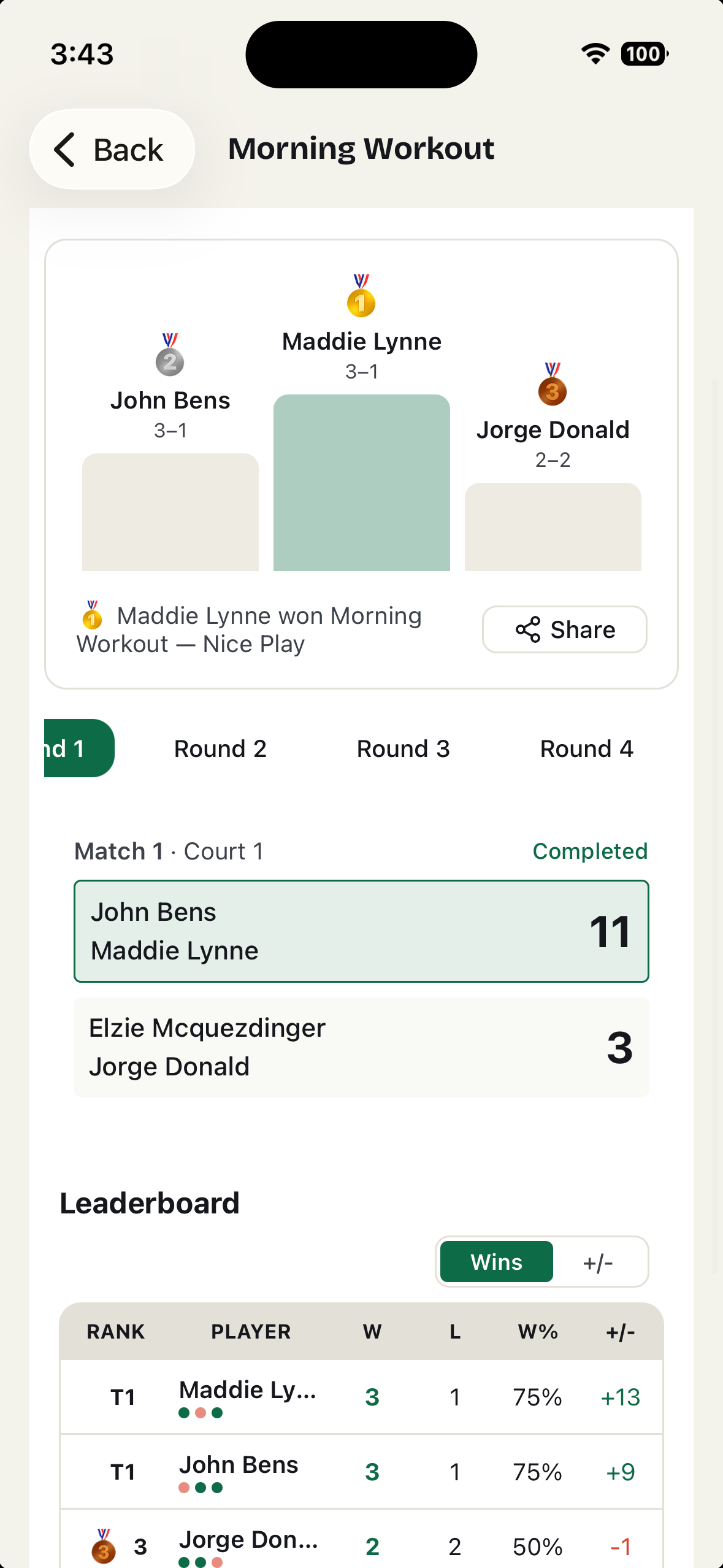
Round robins that run themselves.
Generate rotating-partner matchups for everyone who showed up. Players enter scores from their phones. Standings update as you go, and the results stay with the game.
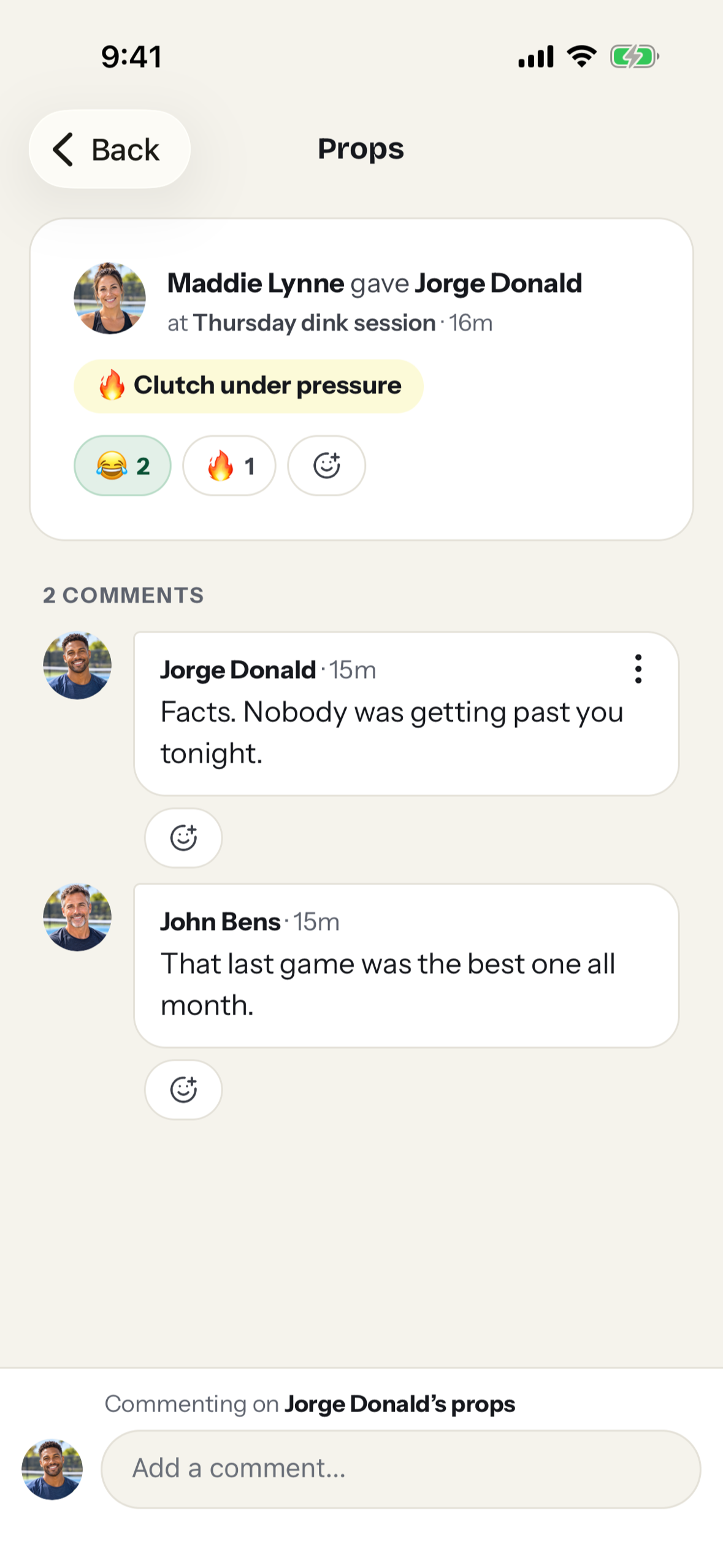
The game after the game.
Players give each other props for the plays worth remembering. Scores, photos and the recap stay on the game and on each player’s profile, so your group has a history instead of a scrollback.
Five minutes, start to first game.
- 1
Create your group
Name it, pick a home court, choose public or private. You get a join code and a QR code.
- 2
Paste the link in your group text
Players tap it, sign in with Apple, Google or email, and they’re in. No app needed; it works in any phone’s browser.
- 3
Post the first game
Everyone gets a notification. Watch the RSVPs land instead of counting thumbs-ups.
A group text gets people to the court. So does TeamReach. Here’s what they can’t do.
| Group text | TeamReach | PlayTime Scheduler | Nice Play | |
|---|---|---|---|---|
| Who’s coming | Count the thumbs-ups and guess | An RSVP list | A session sign-up list | A list with skill levels, arrival times and guests |
| Full game | Someone drops and you start over | A waitlist | A waitlist on the paid tiers | The waitlist moves the next player up and tells them |
| Round robin | A clipboard | No | No | Rotating partners, scores and standings |
| Built for | Anything | Any team, club or group | Open play sessions | Pickleball groups |
| After the game | Scrolls away by Thursday | Photos in the chat | The session is over | Props, photos, results and a recap |
| New players | Someone has to add them | Invite only | Public sessions by town | A join code, a QR code, or a public page nearby players find |
| Ads | None | Yes; $9.99 a year removes them | None | None |
| Price | Free | Free, with ads | Free, or $25–35 a year for Premium and Power | Free |
Who’s coming
- Group text
- Count the thumbs-ups and guess
- TeamReach
- An RSVP list
- PlayTime Scheduler
- A session sign-up list
- Nice Play
- A list with skill levels, arrival times and guests
Full game
- Group text
- Someone drops and you start over
- TeamReach
- A waitlist
- PlayTime Scheduler
- A waitlist on the paid tiers
- Nice Play
- The waitlist moves the next player up and tells them
Round robin
- Group text
- A clipboard
- TeamReach
- No
- PlayTime Scheduler
- No
- Nice Play
- Rotating partners, scores and standings
Built for
- Group text
- Anything
- TeamReach
- Any team, club or group
- PlayTime Scheduler
- Open play sessions
- Nice Play
- Pickleball groups
After the game
- Group text
- Scrolls away by Thursday
- TeamReach
- Photos in the chat
- PlayTime Scheduler
- The session is over
- Nice Play
- Props, photos, results and a recap
New players
- Group text
- Someone has to add them
- TeamReach
- Invite only
- PlayTime Scheduler
- Public sessions by town
- Nice Play
- A join code, a QR code, or a public page nearby players find
Ads
- Group text
- None
- TeamReach
- Yes; $9.99 a year removes them
- PlayTime Scheduler
- None
- Nice Play
- None
Price
- Group text
- Free
- TeamReach
- Free, with ads
- PlayTime Scheduler
- Free, or $25–35 a year for Premium and Power
- Nice Play
- Free
Where a group text still wins
Everyone’s already there. Keep it for banter; most groups do.
Nice Play vs a group textWhere TeamReach still wins
Direct messages, polls, shared files and an Android app.
Nice Play vs TeamReachWhere PlayTime Scheduler still wins
Finding open play in a town where it caught on. Use both.
Nice Play vs PlayTime Scheduler
Questions organizers ask
Do my players need the app?
No. Nice Play works in any phone’s browser. The iPhone app adds lock-screen notifications, but it’s optional.
What does it cost?
Nice Play is free: groups, games, waitlists, round robins and props.
Should we delete the group text?
No need. Keep it for banter and let Nice Play handle the games.
Is there an Android app?
Not yet. Android players use niceplay.gg in their browser and get everything but the app icon.
Your next game, without the head count.
Start a group, paste the link in the thread, post the first game.